Give people a great experience in their own language. Weblate brings your team, community, and development workflow together to deliver quality translations—with or without AI.
Open source and privacy-respecting, with the freedom to choose how you translate and where you run it.
Connect your repository and let new strings reach translators as your project evolves. Weblate brings translations back into version control, so developers and translators can work together without passing files back and forth.
Weblate works with a local repository and commits translation changes back to version control. Keep your existing branches, translation files, and code hosting service, with attribution for contributors.
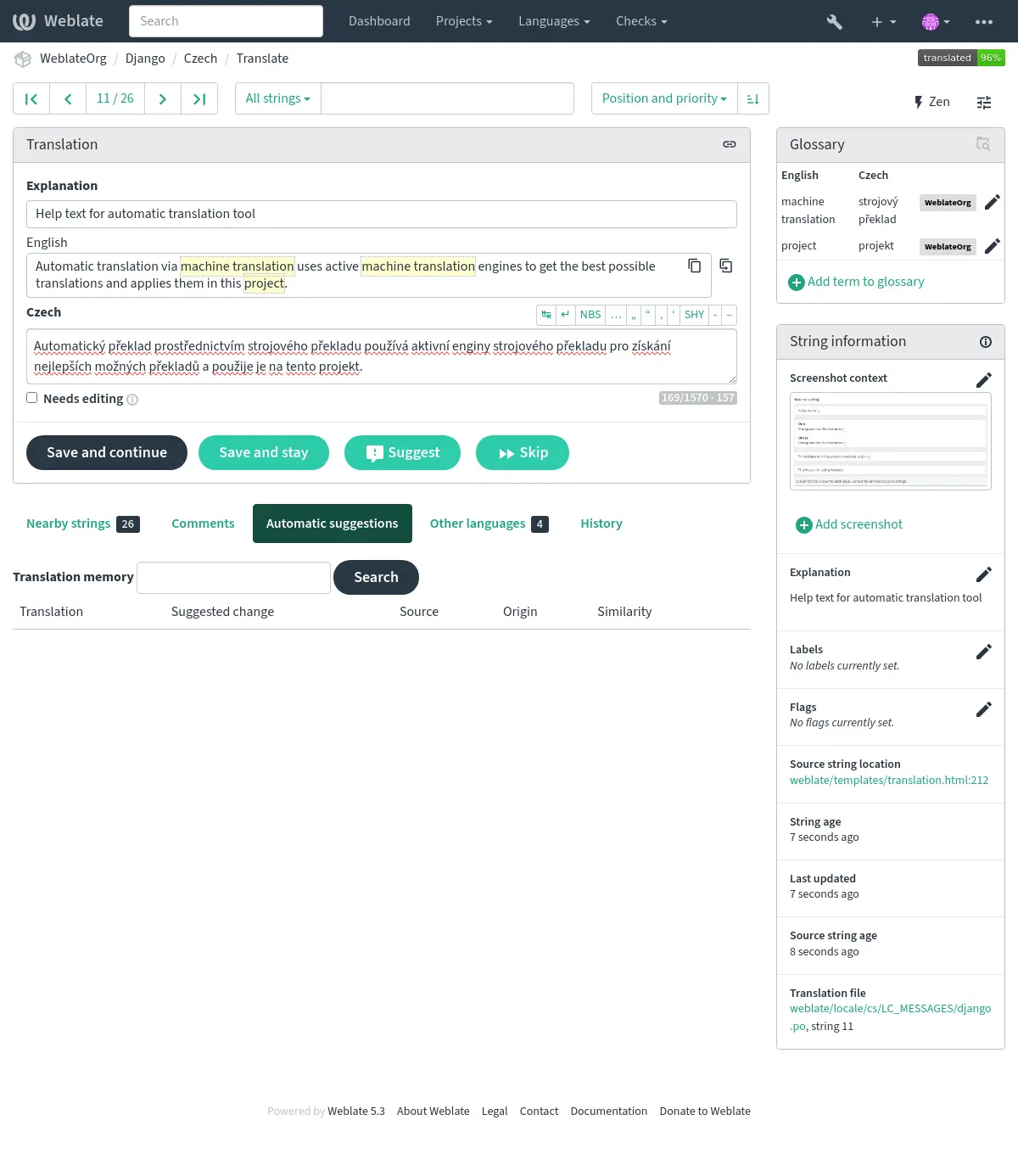
Help translators understand what your users will see. Screenshots, nearby strings, and source references make meaning clearer. Shared glossaries keep terminology consistent, while translation memory helps your team reuse previous work.
Catch problems with customizable quality checks, discuss unclear wording, and review contributions before considering them finished. Your team can improve the source text as well as its translations.
Translate entirely with people, or bring in machine translation and AI where they help. Your team chooses the tools, the review process, and what reaches your repository.
Translate without AI
Let people write and review translations with context, glossaries, translation memory, and quality checks. None of these require an AI or machine translation service.
Assist your translators
Offer optional machine translation or large language model (LLM) results in the editor. Translators choose what to use, edit it, and decide what to save.
Start with machine translations
Generate translations for people to improve, or mark them as unfinished drafts. Choose whether drafts can reach your repository while editing is still in progress.
Accept suggestions before use
Keep generated text as suggestions for people to check. With automatic acceptance disabled, suggestions only become translations when a person accepts or edits them.
Approve before committing
Combine translation review with an approved-only commit policy. People can edit generated translations in Weblate, while only reviewer-approved translations reach your repository.
Evaluate translation quality
Optionally use an LLM to flag accuracy, fluency, terminology, style, and formatting issues. Evaluation adds findings; it does not approve translations or replace human review.
Combine the tools that fit your workflow
One workflow you can configure: reuse existing translations first, bring in external services where needed, and require approval before committing.
New strings arrive from Git.
Reuse translation memory.
Request machine translation or LLM suggestions for remaining strings.
Hosted Weblate stores and processes customer data and backups in the EU, or you can self-host on your own infrastructure. Integrations you configure can send data elsewhere. See our data residency documentation.
Set permissions for who can see, translate, and review content. Inspect Weblate’s source and published security documentation to evaluate your requirements.
Give your colleagues, professional translators, and community contributors a shared place to work. Assign roles, discuss wording where it matters, and recognize each person's contribution.
Keep contributors informed with notifications and see where work is needed through progress and activity reports. Whether you coordinate a product team or welcome volunteers, everyone can help improve the result.
The everyday tools your localization needs
Import and export translations, connect other tools through the API, and automate recurring tasks with add-ons. Manage languages, organize translation files, and keep your workflow moving as your project grows.
Bring your existing translation files by connecting your Git repository or uploading supported files. Reuse previous work by importing translation memory and glossaries in supported formats.
Start with one component, verify repository synchronization and review settings, then expand. Plan the switch for that component so two platforms do not write competing changes to the same files.
Localize your app, website, documentation, and more without leaving the formats your project uses. Explore the supported formats below for details and format-specific capabilities.
Weblate is copylefted libre software: you are free to use, inspect, modify, and share it. Those freedoms belong to everyone, from volunteer communities to global organizations.
Choose managed hosting to let our team run Weblate for you, or purchase expert support for your own installation. When something breaks, talk to a real person on the team behind Weblate and get help moving forward. Your hosting and support purchases help fund Weblate's continued development.
You can also host Weblate yourself without a subscription. Eligible libre projects can apply for gratis hosting.